
Dry eye management
Overview
Dry eye management, particularly in the context of Computer Vision Syndrome (CVS), involves addressing symptoms and underlying causes of dry eye exacerbated by prolonged computer use and other digital screen activities.
Management Strategies for Dry Eye and CVS
Environmental Adjustments:
Humidity: Use a humidifier to add moisture to the air, especially in dry environments.
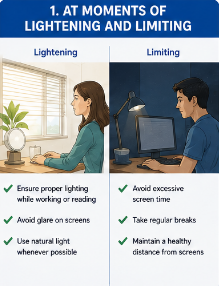
Screen Use Habits
Screen Position: Position your screen at eye level and about an arm’s length away to minimise strain.
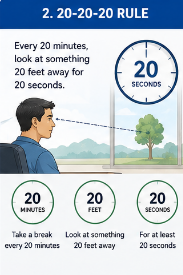
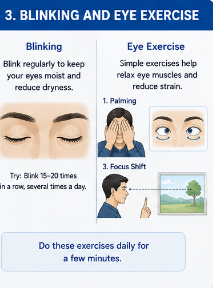
Blinking and Eye Exercises
Eye Exercises: Perform exercises to reduce eye strain, such as rolling your eyes or focusing on different objects.
Artificial Tears and Lubricants
Ointments and Gels: For longer-lasting relief, consider using lubricating ointments or gels, especially before be

Proper Eyewear
Computer Glasses: Specialised glasses for computer use can help reduce eye strain

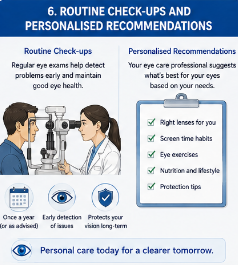
Regular Eye Exam
Personalised Recommendations: Your eye care provider can offer tailored advice and treatments based on your specific needs
Addressing Underlying Conditions
Lifestyle Modifications: Managing conditions such as allergies or hormonal changes can also help alleviate dry
Symptoms of Refractive error
- Dry Eye Syndrome
- Dryness, irritation, redness, a gritty or sandy feeling, blurred vision, and eye fatigue
- Computer Vision Syndrome (CVS)
- Eye strain, dryness, irritation, blurred vision, headaches, and neck or shoulder pain
Treatments @ ABO
1. Surface Ablation
no